
Gaming PC Desktop Computer Buying Guide
Updated: Apr 6
Guide to Buying a Gaming PC Desktop
Gaming PC Desktop Computer Buying Guide
Considerations for Buying a Desktop Computer
While your budget will largely influence your choices, there are several practical factors to consider as well.
Your first decision is whether to opt for a PC or a Mac. Consider which operating system you prefer (Mac OS X or Windows) and any potential compatibility issues you might encounter.
Another early choice is between all-in-one desktops and tower desktops. If space is limited, an all-in-one with touchscreen capabilities might be ideal. For easy upgrades, choose a tower.
Consider the software you plan to use and make a wish list based on that. For example, if you plan to use video editing software, seek a desktop with ample memory.
Will your desktop be used for gaming or as part of a home theater setup? If so, consider a desktop with a dedicated graphics card.
If you have DVDs or Blu-rays, consider a desktop with an optical disk drive to enhance your media experience.
Desktop Types

All-in-one Desktops
All-in-one desktops are ideal for families, homes with limited space, and those who prefer easy setup. Just unpack, plug in, and turn on.
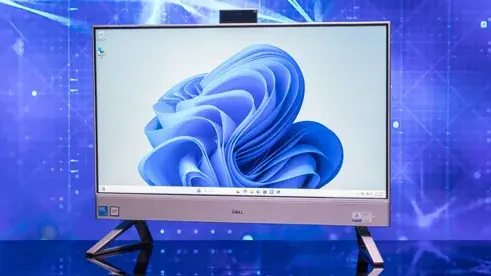
An all-in-one desktop integrates components behind the monitor, requiring only space for the unit, keyboard, and mouse. Their slim design minimizes clutter.
Many all-in-one PCs offer touchscreen features, providing a modern way to interact with your computer and eliminating the need for a mouse, saving more space.
The main drawback of all-in-one computers is their limited upgradeability compared to tower desktops. If you want a customizable or expandable computer, an all-in-one might not be for you.
General Use Desktops
For basic tasks like word processing or internet browsing, you can save money by purchasing only the necessary features.
If your usage includes emailing, browsing, and using software like Microsoft Office, you don't need high-performance processors or large RAM. An Intel Core i3 processor and 4GB of RAM should suffice for a modest budget.
Basic computers typically offer around 500GB of storage, sufficient for documents and some photos. You can upgrade storage by adding a hard drive to the tower or using a portable hard drive via USB.
For occasional use, consider a PC with Windows 10. PCs are generally more affordable than Macs with similar functionality, depending on the specs.
Gaming & Multimedia Desktops
Gaming PC Desktop Computer Buying GuideDesktops for gaming and multimedia are designed to enhance your enjoyment of games, movies, and media, offering easy upgrades for the latest releases.
Ensure your desktop includes a dedicated graphics card, crucial for processing visuals. Its performance affects how smoothly games and movies run. Seek models with the most cores, highest clock speed, and greatest memory bandwidth you can afford.
While CPU speed and RAM are less crucial than a dedicated graphics card for gaming or multimedia desktops, ensure the system has at least an Intel i5 processor (or equivalent) and 8GB RAM to avoid performance bottlenecks.
If using your desktop as a multimedia hub, consider models with a Blu-ray ROM/DVD burner combo and TV tuner cards for watching TV on your computer.
nerdcore gaming pc builder guide nerdcore gaming pc builder guide nerdcore gaming pc builder guide nerdcore gaming pc builder guide
Main Components
A desktop's value largely depends on the processor, memory, and storage space capabilities. For performance, buy the fastest and largest you can afford. If budget constraints require compromise, understand the role of each component.
Processor
Often called the CPU, the processor is the computer's brain. Its performance is measured by speed, clocked in GHz. A powerful processor allows faster work and multitasking. Advanced software often needs a fast processor.
RAM
Also known as memory, RAM significantly influences program speed. Measured in bytes, more RAM allows the processor to handle more tasks simultaneously, making multitasking and running heavy software easier.
Storage
Storage capacity determines how much data can be saved. Like RAM, it's measured in bytes. Consider SSHDs for faster, quieter performance than HDDs. Storage can be upgraded by connecting an external hard drive via USB.
Desktop Essentials
Monitors
Monitors greatly impact a desktop's final effect. They come in various sizes and resolutions to fit any office, home, and budget.
Keyboards & Mice
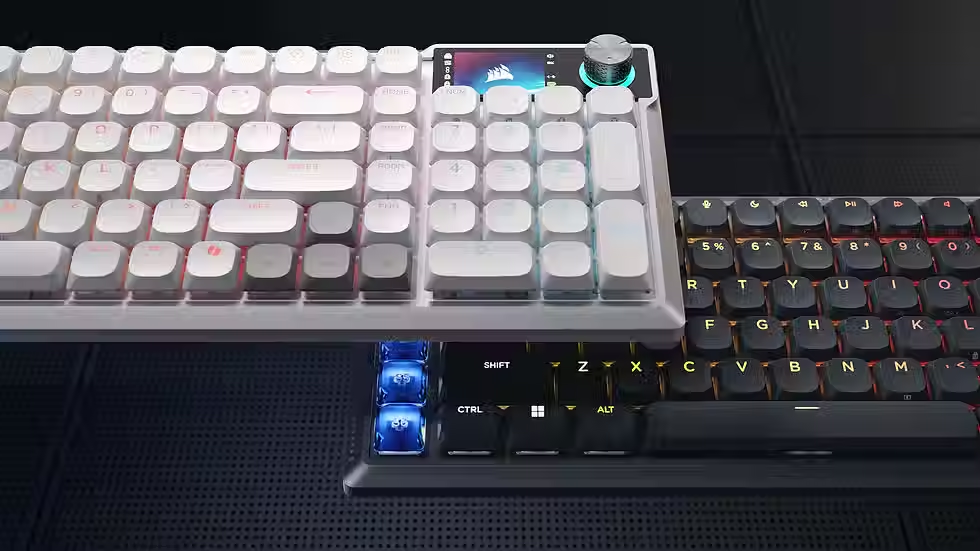
The right keyboard and mouse enhance comfort for work or play. Look for wireless models to reduce desk clutter.
Cables & Adapters
Maximize your desktop's potential with the right cables and adapters. USB, HDMI, and Ethernet cables easily connect peripherals, monitors, home networks, and mobile devices.
Ask your question
Write an answer
Write an answer


