
Complete Guide to Upgrading Your Hard Drive to SSD
Complete Guide to Upgrading Your Hard Drive to SSD - Boost Your Laptop & PC Performance with an SSD Upgrade

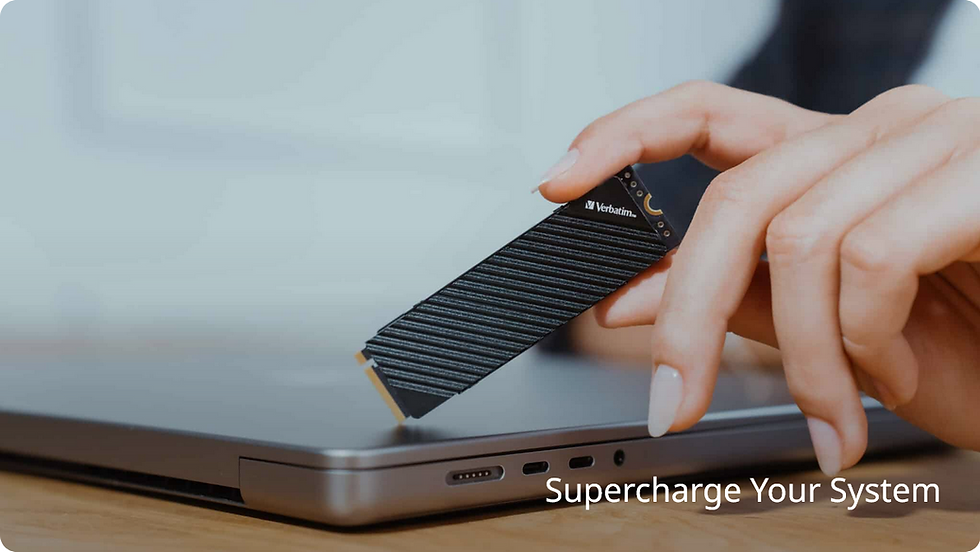
Is your laptop or desktop running slow, taking forever to boot, or freezing during everyday tasks? Upgrading from a traditional Hard Disk Drive (HDD) to a high-speed Solid State Drive (SSD) is one of the fastest and most cost-effective ways to dramatically improve performance.
Whether you're a student, business professional, gamer, or content creator, an internal SSD upgrade can transform your system—delivering faster load times, smoother multitasking, and improved overall reliability.
Why Upgrade from HDD to SSD?
Traditional HDDs rely on spinning disks and mechanical parts, which makes them slower and more prone to failure. SSDs, on the other hand, use flash memory—meaning no moving parts, faster speeds, and better durability.
With an SSD upgrade, you’ll experience:
Up to 10x faster boot times
Instant application loading
Improved system responsiveness
Lower power consumption (great for laptops)
Reduced risk of drive failure

HDD vs SSD: Real Performance Difference
Feature | HDD | SSD |
Boot Time | 30–90 seconds | 10–20 seconds |
File Transfer | Slow | Ultra-fast |
Reliability | Mechanical failure risk | No moving parts |
Noise | Audible | Silent |
Power Usage | Higher | Lower |
Choosing the Right SSD for Your System - Complete Guide to Upgrading Your Hard Drive to SSD
Not all SSDs are created equal. Selecting the right one depends on your device, usage, and budget.
1. SATA SSD (2.5”)
Best for older laptops and desktops
Affordable and widely compatible
Great entry-level upgrade
2. NVMe SSD (M.2)
Ultra-fast performance (up to 5–7x faster than SATA)
Ideal for gaming, editing, and high-performance tasks
Requires motherboard compatibility
3. Storage Capacity
250GB–500GB: Basic users
1TB: Most popular choice
2TB+: Gamers & professionals
Is It Worth Upgrading?
If your computer is more than a couple of years old and still running on an HDD, the answer is simple: yes. An SSD upgrade is often more impactful than adding more RAM and can make your system feel brand new—without the cost of replacing your entire device.
Same-Day SSD Upgrades in Melbourne
Don’t put up with a slow computer any longer. Upgrade to a high-speed SSD and experience the difference today.
At Nerdcore PC, we specialise in fast, professional SSD upgrades for laptops and desktops—with minimal downtime and maximum performance gains.
What you get:
Same-day SSD upgrades available
Full data cloning (keep all your files, apps, and settings)
Fresh installations for peak speed (optional)
Compatibility checks for all systems
Support for SATA and ultra-fast NVMe drives
Whether your computer is running slow, freezing, or taking minutes to start up, we can have it running like new in just hours.
Call now or book online to get your SSD upgrade today. Fast turnaround. Transparent pricing. Local experts you can trust.
Boost Your Laptop & PC Performance with an SSD Upgrade
Complete Guide to Upgrading Your Hard Drive to SSD
SSD Form Factors: Which One Do You Need?
Choosing the right SSD form factor is critical to getting the best performance from your upgrade. The two most common options are below:
M.2 NVMe SSD (Best Performance)
Ultra-compact design that connects directly to your motherboard
Uses NVMe (Non-Volatile Memory Express) for extremely fast speeds
Ideal for modern laptops, gaming PCs, and high-performance systems
Perfect for tasks like gaming, video editing, and heavy multitasking
Speeds can reach up to 3500–7000 MB/s (depending on model)
Best for: Newer systems (typically 2017+), power users, and anyone wanting maximum speed
2.5″ SATA SSD (Best Compatibility)
Standard size that fits most older laptops and desktops
Uses SATA interface (same as traditional hard drives)
Still delivers a massive speed boost over HDDs
Easy and cost-effective upgrade for aging systems
Typical speeds around 400–550 MB/s
Best for: Older computers, budget upgrades, and general everyday use
Not Sure Which SSD Your Computer Supports?
That’s where most people get stuck—and installing the wrong type can waste time and money.
At Nerdcore PC, we’ll check your system and recommend the right SSD for your setup, ensuring you get the best performance upgrade possible without compatibility issues.
Book your SSD upgrade in Melbourne today and get expert advice with same-day service available. Complete Guide to Upgrading Your Hard Drive to SSD

SSD Upgrade Melbourne – Boost Your Laptop & PC Performance Today
Is your computer running slow, freezing, or taking forever to start?Upgrading from a traditional hard drive (HDD) to a high-speed SSD is the fastest and most cost-effective way to bring your system back to life.
At Nerdcore PC, we provide same-day SSD upgrades in Melbourne, helping you get faster speeds without replacing your entire computer.
Same-Day SSD Upgrades in Melbourne
Don’t waste time waiting on a slow PC. We can upgrade your system today.
What you get:
Same-day SSD installation
Full data transfer (keep your files, apps, and settings)
Fresh OS install options for maximum speed
Laptop & desktop compatibility checks
Support for SATA and ultra-fast NVMe SSDs
Call now or book online to upgrade your PC today.
Why Upgrade to an SSD?
Boosted Performance
Experience dramatically faster boot times, instant app loading, and smooth multitasking. Most systems feel up to 10x faster after upgrading.
Energy Efficiency
SSDs use less power, generating less heat and improving battery life for laptops.
Superior Durability & Reliability
With no moving parts, SSDs are more resistant to drops and failures—keeping your data safer long-term.
SSD vs HDD: Real-World Speed Difference - Boost Your Laptop & PC Performance with an SSD Upgrade
Boot Time: 60–120 sec → 10–20 sec
Speed: ~100 MB/s → 500–3500+ MB/s
Noise: Loud spinning → Silent
Reliability: Mechanical failure risk → Solid-state durability
SSD Form Factors: Which One Do You Need?
M.2 NVMe SSD (Best Performance)
Ultra-fast speeds (up to 7000 MB/s)
Ideal for gaming PCs and modern laptops
Best for high-performance workloads
2.5” SATA SSD (Best Compatibility)
Works with most older systems
Affordable and reliable upgrade
Still significantly faster than HDDs
Choosing the Right SSD Capacity
256GB – 512GB (Everyday Use)
Perfect for browsing, emails, and office work.
1TB – 2TB (Most Popular)
Ideal for gamers, professionals, and general users.
4TB+ (Power Users)
Best for video editing, large files, and advanced workloads.
Who Benefits Most from an SSD Upgrade?
Gamers: Faster load times and smoother gameplay
Students & Office Workers: Improved productivity and speed
Content Creators: Faster file access and editing
IT Professionals: Reliable high-performance storage
SSD Upgrade Services Across Melbourne
We provide SSD upgrades across all major suburbs, including:
CBD, Southbank, Docklands
Wherever you are in Melbourne, our technicians can help.
Why Choose Nerdcore PC?
Fast turnaround (same-day available)
Experienced local technicians
Transparent, upfront pricing
Hundreds of successful upgrades
Support for all major brands (Windows & macOS)
Frequently Asked Questions
How long does an SSD upgrade take?
Most upgrades are completed within 2–4 hours, depending on your system and data transfer requirements.
Will I lose my files?
No. We can clone your existing drive so everything stays exactly the same.
Is an SSD upgrade worth it?
Yes—if your computer is under 5–7 years old, it’s the best performance upgrade you can make.
How much does an SSD upgrade cost?
Costs vary depending on SSD type and capacity, but upgrades are typically far cheaper than buying a new computer.
Can you upgrade both laptops and desktops?
Yes, we upgrade all types of systems, including gaming PCs and business machines.
Ready to Upgrade Your PC?
Stop dealing with slow performance. Get your system running like new today.
Call now or book your SSD upgrade in Melbourne for fast, reliable service.

Upgrading from an HDD to an internal SSD is one of the smartest investments you can make to dramatically improve your computer’s speed and reliability. Whether you need an ultra-fast NVMe SSD for gaming, a cost-effective upgrade for everyday use, or a high-capacity solution for professional workloads, choosing the right SSD makes all the difference.
At Nerdcore PC, we supply and install trusted, high-performance SSDs from leading brands, ensuring you get the best balance of speed, durability, and value for your system.
Book your SSD upgrade in Melbourne today and experience the difference instantly.

