
Scan WordPress Theme For Malware
Scan WordPress Theme For Malware

Are you concerned that your WordPress theme might be compromised by malware? Unsure if your nulled WordPress theme contains malicious software? Installing nulled WordPress themes is risky as many are infected with viruses or harmful code. It is essential to scan your WordPress themes and plugins for malicious code to detect malware and prevent WordPress hacking in 2024.
Ensure your WordPress theme is free from malware. In this blog, we will guide you on how to scan your WordPress theme for malware or malicious code, along with recommending the best plugins to use for this purpose. Once malware is detected on WordPress, you may also need to learn how to remove malware from your WordPress site.
WordPress pre-made templates can be infected with backdoors, anticipating that users will purchase and install them. Installing an infected theme makes your WordPress site vulnerable to hackers. Conducting thorough checks is crucial for safety, although many cyberattacks are only discovered post-incident. How do you end up with malware-infected WordPress themes? It depends on the theme you use and where you source a secure WordPress theme.
Using the WP Hacked Help malware scanner is the fastest way to detect malware and malicious code. Alternatively, you can install TAC, available on WordPress.org. However, it is not enabled by default. To begin with TAC, install the paid version from your WordPress dashboard. A free trial version is also available via the link below.
After activating TAC, ensure your website is clean before proceeding. Attempting to disable malicious functions within a theme before complete cleaning might disrupt your site's functionality.
Ways to identify if your website is infected with malware:
Unusual activity on your website, such as increased traffic, may indicate malware infection.
Suspicious links or content posted on your site suggest possible malware infection.
Emails claiming they have "discovered" issues on your site could indicate malware infection.
Malware in WordPress themes can be detected by inspecting for malicious files or code, typically found in the wp-content/themes directory.
For instance, if using a free WordPress theme from outside the official repository, scan the file with a tool like VirusTotal before installation. This will help determine if the file has been previously flagged for malware.
Additionally, scan for malicious code within the theme using online services like WP Hacked Help to detect and remove suspicious code, or use tools like WordFence or Sucuri Security locally.
If suspicious code is found in your theme files, it is advisable to remove it and replace it with a clean version from the original author's site.
In 2024, over 30% of nulled WordPress themes were found to be infected with malware. Therefore, prioritizing security is more crucial than ever.
What is a Nulled WordPress Theme?
A nulled theme refers to a cracked or hacked version of a WordPress theme. Essentially, it is a premium WordPress theme that is made available for free (illegally).
Nulled themes are created by developers who have hacked their premium themes and released them for free. This can be achieved by downloading the original premium theme from its website and modifying it yourself, or by using an online tool.
After downloading the theme, you will find a folder containing all the necessary files to alter your premium theme. You can edit these files and upload them to your server. Such themes are also known as ‘Theme Forest’ or ‘Theme Forest Project’ (TF).
Over time, many developers have uploaded these themes, making them available for download through various file-sharing sites like Rapidshare, Depositfiles, and Mediafire, among others.
Disadvantages of Nulled Themes
The main drawback of using a nulled theme is that it is not officially developed by the original creator. This means you might encounter numerous bugs and issues, especially if you are not familiar with troubleshooting them.
There is no assurance that a nulled theme will function on all devices or across all browsers.
No support from the developer.
Future updates may not be available. You might need to download the original files from the developer's site to update your theme.
Some nulled themes are incompatible with plugins and extensions, meaning you will need to install those separately to add features to your website.
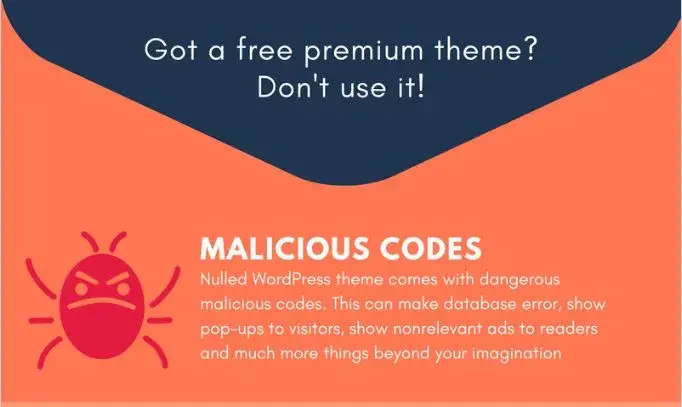
These themes often come with backdoor hacks that compromise your website's security, making it vulnerable to hacking and common malware infections like the Japanese keywords hack and WordPress malware redirect.
? Is Your WordPress Theme Infected with Malware?
WordPress now offers premium themes in its latest versions that are highly secure and resistant to malware. Unfortunately, free themes are often the easiest targets for web attackers. The reason is that downloading a free theme from an unknown source or pirated websites can compromise your site's security.
These themes are poorly coded, creating vulnerabilities that allow unauthorized access. An unknown theme source might be crafted by a hacker who modifies it for their own benefit. There are several reasons why such themes are exploited.
Some common reasons include:
To obtain a backlink from your website's blog posts
To redirect your site to spam links
To insert advertisements
To create a backdoor to your site
Impact of Malware-Infected WordPress Theme
An infected theme can cause numerous issues.
Firstly, it can damage your website, leading to unexpected behavior or even crashes. It might also slow down your site and make it inaccessible to visitors.
In the worst-case scenario, the infection could steal all your blog’s content and distribute it on another website—a malware distributor. This would be devastating for your business, as you could lose all your revenue and traffic overnight.
Always ensure that the theme you plan to install on your WordPress site is not infected before installation. You can check this by using a virus scanner or by reviewing feedback on the official developer's website.
1) Malicious code embedded in the theme will be executed by the server whenever a user visits your site. This code may include a backdoor or virus that infects and damages your server files.
2) If you purchase a premium theme from an untrusted seller, it may contain malicious code inserted by the seller to spy on customers and steal data (e.g., credit card details). When you install this theme, the malware runs automatically, collecting information about you and your site visitors. This can lead to identity theft, credit card fraud, and other financial crimes against you or your site visitors using infected themes from untrusted sellers.
If you are using a premium theme for your website, it is advisable to check for the latest security updates regularly. Often, security patches are released for themes to ensure their safety.
If you are using an untrusted theme, it is better to uninstall it and install a new one verified by the WordPress team. Keeping your website secure is crucial, as a compromise could lead to loss of revenue and reputation.
Besides installing an infected theme, there are other ways your WordPress site can be hacked or compromised. You might get infected by visiting websites with malicious content or clicking on malware-containing links. Your site could also be hacked if you use outdated PHP or MySQL database server software.
If you want to avoid all these WordPress security issues and keep your site secure at all times.
⭐ How to Detect Malicious Code in a WordPress Theme?
Before discussing how to detect malicious code or malware in a WordPress theme, let's identify where hackers commonly insert such code. The two primary targets for savvy hackers are the footer.php and style.css files.
Additionally, you should manually check all files within the theme. WordPress themes may contain basic files necessary for functionality. However, if you find additional files that are called without the .php function, your themes may be injected with severe malware.
Signs that your WordPress theme is infected with malicious code:
Google Warning Messages (“This Site May Be Hacked”, Deceptive site ahead warning, Google Blacklist Warning message): Your site will display a malware warning message, with either a fully or partially blocked site.
WordPress White Screen of Death: If your site suddenly shows the white screen of death, it likely means your site is compromised with malware. Read more in detail here.
.htaccess pirate: If your .htaccess file is corrupted, it keeps redirecting your site to other spam links that you can't understand.
Popups: If several popup ads on your site redirect to malicious links or other popups when you try to close them, your site is likely a victim of malware exploitation.
Constant crashes: Your site crashes frequently.
Found any of the above signs on your site. Get urgent help to fix your hacked site now.
? How to Find Malware in Nulled WordPress Theme?
You can follow these methods to check for Malware in WordPress Themes. First, perform a Google search on the website you are getting the theme from as a precautionary measure.
Performing a Google search is a good way to check for malicious code in a specific WordPress theme. If someone has found malicious code in a theme from the same source, they likely warned others.
The initial step in discovering hidden malware or malicious code in your WordPress theme is to verify that all files in the theme are necessary for a WordPress theme.
? NOTE – If you are a developer and want to delve deeper, Otto provides an excellent guide for dissecting the theme to check for malware presence.
⭐Scan WordPress Theme before Installation
The most common technique to detect malware in your installed themes is to scan your entire website. This will scan all the files on your site. You can do this in several ways:
⭐Safe Browsing Tool:
Google Safe Browsing is a tool that notifies webmasters when their sites are compromised by unsafe content or malicious files. This tool can be used to identify and fix hidden malware on your site.
Enter your website URL in the link above and press ENTER. For instance –
After pressing ENTER, you will receive the Safe Browsing status of the site, showing any detected unsafe content.
⭐Search Files
Perform a cross-file search for eval. If this is present, it indicates that the author (or someone who modified it) might be concealing something. Learn more about the eval(base64_decode hack.

Tools to Identify Malware in WordPress Themes
You can also utilize free WordPress security scanners to examine your website. Here is a brief overview of these scanners:
PCRisk: This is a free online tool that can be used to scan any website for malicious code, vulnerability exploits, infected files, and other suspicious activities.
SiteGuarding.Com: Another well-known online tool to inspect your website for malware and security issues.
Once you download the plugin or theme, the first step should be to check for viruses, trojans, and other worms using Virus Total.
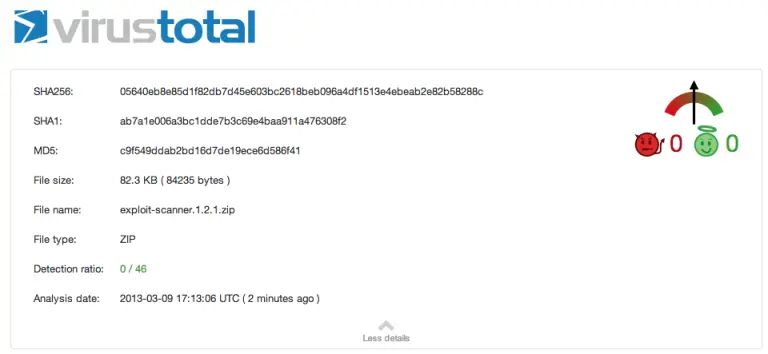
WP Hacked Help: A free online wordpress malware scanner tool. You can scan your website for potential malware with this tool. You can also use a security plugin such as Wordfence

WordPress Theme Checker Plugin for Detecting Malicious Code
One effective method to address malicious code hidden in your free WordPress themes is to install top security plugins for WordPress, which are specifically designed for this purpose.
Below are the most robust WordPress plugins to scan WordPress Themes for malware.
Theme Authenticity Checker (TAC)

TAC scans the source files of all the WordPress themes installed on your website. It takes you to the particular theme, the line number and a small piece of the distrusted code where the suspected malware is found. You can analyze the code and hence, easily remove the malware. To download this plugin, click here.
WP Antivirus Site Protection

This plugin regularly scans not only the WordPress themes but also all the other files uploaded on your WordPress website. The important feature is that it keeps the customers up-to-date with the site’s security issue by sending alerts and notifications via email.
Quttera Web Malware Scanner

This plugin is designed to detect hidden malware, viruses, malicious codes, spam links, blacklisting status, and more. You can use this tool to scan your website for free by installing this plugin. Quttera offers various malware cleanup plans for websites. To explore these plans, you can visit the website.
BulletProof Security plugin:
BulletProof Security is among the top WordPress security plugins of 2024, featuring numerous key elements for WordPress security protection. This plugin includes an MS Malware scanner to examine every file on your WordPress site. It also provides .htaccess Security WordPress Protection (Firewalls). Additional features include login security, database backups, anti-spam measures, and regular website monitoring for protection.
Anti-Malware:

Anti Malware is a widely used plugin for scanning and detecting malware on WordPress websites. The free version of WordPress allows for malware detection, while the premium version offers additional features. A premium Anti Malware plugin examines the WordPress site for brute-force attacks and DDoS Attacks. You can get it here for free.
⭐ Preventive Tips to Ensure Your WordPress Theme is Safe
Avoid downloading free themes from sources other than the author's website, as this can make your website vulnerable. Purchase themes from reputable sources like Theme Forest, Mojo Themes, Creative Themes, ThemeSnap, WordPress Theme Directory, WooThemes, or TemplateMonster.
Regularly scan your website with a reliable WordPress security scanner. It checks for WordPress infections such as Malicious Redirects, Malware Injections, WordPress Backdoors, Google Blacklisting, Japanese SEO Spam. We begin cleaning your website once your request is submitted. Another key feature is that we scan your website regularly and keep you informed about the current security status of your WordPress site. Interested? Give it a try here. today.
Utilize tools to check your themes, such as Themecheck.info, Theme Check, and Exploit Scanner.
Keep a backup of your website readily available.
Ensure you have a highly secure hosting service.
Always use the latest version of WordPress. (See WordPress Releases)
Keep plugins and themes updated to the latest versions. Always purchase premium themes from the official WordPress theme repository.


